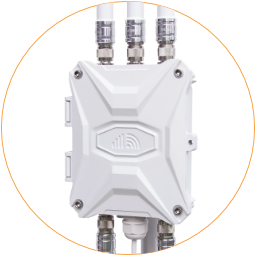
Indicators
There are eight indicators on the EZR34T router.
The SIM card indicators are in the top left corner of each SIM card slot. They will turn on when a related SIM slot is activated.
On the bottom side of the motherboard are Wi-Fi, System, Mobile, Power, WAN, and LAN indicators, as the image below shows.
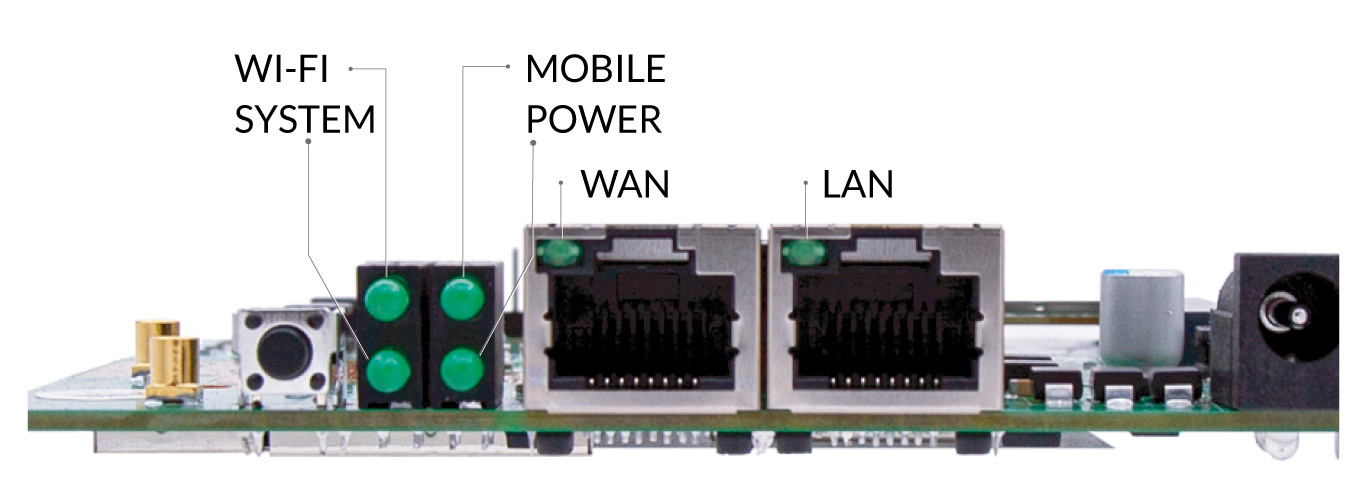
EZR34T-5G Onboard Indicators
| Indicator | Status | Description |
|---|---|---|
| Indicator | Status | Description |
| SIM Card | Green | Turns on when a related SIM slot is activated. |
| Power | Green | Turns on when connected to PoE or DC power source. |
| System | Green | This light indicates that the router is in operation. If it lit solid green, then the router has booted successfully. |
| Flash | The router system is booting up. The system indicator flashes while resetting or flashing the firmware. | |
| Off | Short of power. Check the PoE or DC power connection. | |
| Wi-Fi | Green | Wi-Fi hotspot is enabled. You can find and connect to the Wi-Fi hotspot if the light is green. |
| Flash | If you are connected to the Wi-Fi hotspot, it will flash green to indicate data going to and from the router. If the router is connected to another Wi-Fi hotspot (Wi-Fi relay), it will also flash because it has the data flow. | |
| Off | If it's off, your router no longer sends a Wi-Fi signal. You can log in to the router admin and turn on the Wi-Fi hotspot. | |
| Mobile | Green | Indicates the router is using a SIM card. |
| Flash | Means mobile internet is activated with data flow. | |
| Off | No workable SIM card or Mobile interface is stopped. |